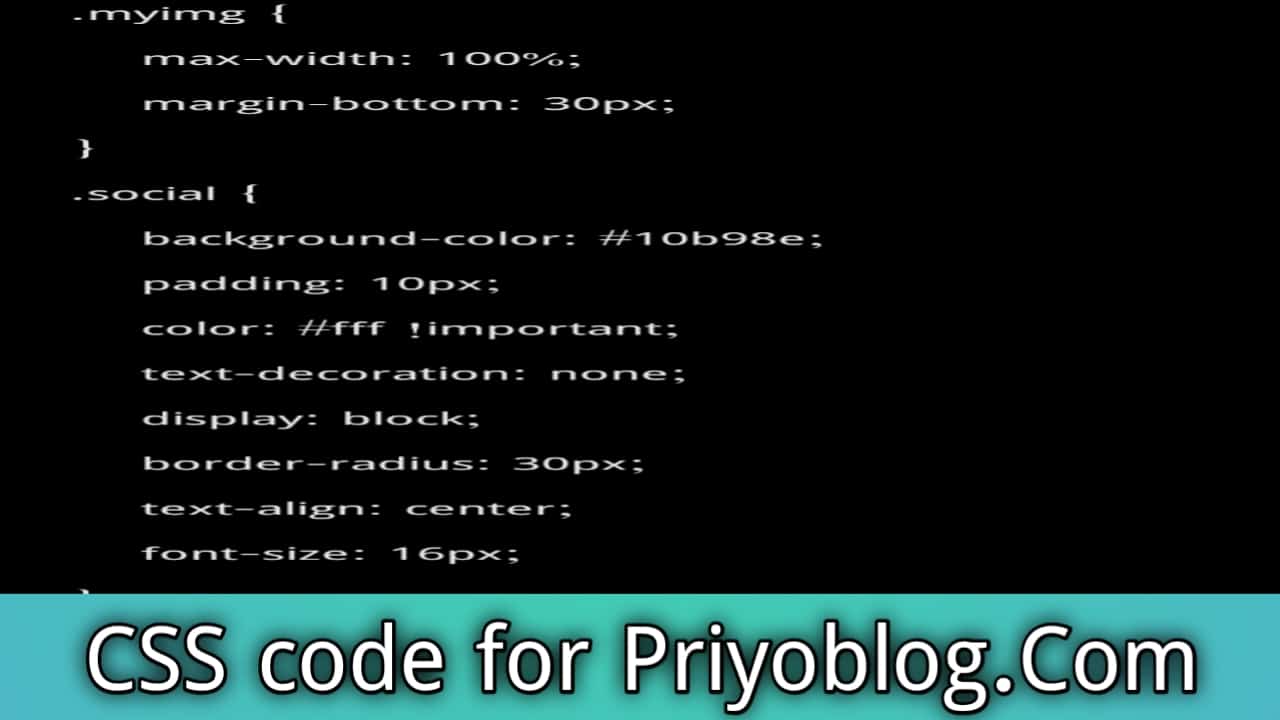
GeneratePress customize CSS code for Priyoblog 2026
আসসালামু আলইকুম বন্ধুরা!
সবাই কেমন আছেন? আশা করি সবাই সুস্থ ও ভালো আছেন।
আজকে আমি আপনাদের জন্য নিয়ে এসেছি নতুন একটি পোস্ট – GeneratePress কাস্টমাইজ CSS কোড সম্পর্কিত।
এই পোস্টে আমি দেখাব কিভাবে আপনার GeneratePress থিমকে আরও প্রফেশনাল এবং ইউনিক লুক দেওয়া যায় CSS ব্যবহার করে।
যদি আপনি আপনার ওয়ার্ডপ্রেস সাইটের ডিজাইন এবং ফ্রন্টএন্ড কাস্টমাইজেশনে আগ্রহী হন, তাহলে এটি আপনার জন্য অত্যন্ত উপকারী হবে।
GeneratePress থিম কি?
অনেকেই হয়তো জানেন না, GeneratePress থিম কি। আসলে এটি একটি অত্যন্ত জনপ্রিয় ওয়ার্ডপ্রেস থিম, যা বর্তমানে বিশ্বের শীর্ষে রয়েছে।
এই থিমটি বিশেষভাবে অ্যাডসেন্স ফ্রেন্ডলি এবং ফ্রন্টএন্ড কাস্টমাইজেশনের জন্য খুবই উপযোগী। এজন্যই অনেক ওয়েব ডেভেলপার এবং ব্লগাররা এই থিম ব্যবহার করে।


GeneratePress থিমের প্রধান সুবিধা:
- দ্রুত লোড হয় এবং SEO ফ্রেন্ডলি।
- অ্যাডসেন্স এবং অন্যান্য মনিটাইজেশন ফ্রেন্ডলি।
- প্রিমিয়াম এবং ফ্রি উভয় ভার্সনে অনেক ফিচার।
- সহজেই কাস্টমাইজেশন করা যায় CSS এবং অন্যান্য কোড দিয়ে।
আমি আজকে যে CSS ডিজাইন দিয়ে দেবো, এটি সম্পূর্ণ একটি সাইটের ডিজাইন কভার করে। এই CSS ব্যবহার করে আমি আমার পুরো সাইটকে সাজিয়েছি এবং সেটি সকলের সাথে শেয়ার করছি।
মন্তব্য: এই CSS কোড প্রিমিয়াম ও ফ্রি উভয় GeneratePress থিমে কাজ করবে। এটি একটি ফুল ডিজাইনড CSS, যা আপনাদের সাইটকে আরও সুন্দর এবং প্রফেশনাল লুক দেবে।
GeneratePress থিম কিভাবে ইন্সটল করবেন?
আপনি যদি নতুন করে আপনার সাইটে GeneratePress থিম ব্যবহার করতে চান, তবে নিচের ধাপগুলো অনুসরণ করুন:
- ওয়ার্ডপ্রেসে লগইন করুন
প্রথমে আপনার সাইটের অ্যাডমিন প্যানেলে লগইন করুন।

- Appearance → Themes এ যান
ড্যাশবোর্ড থেকে Appearance এ ক্লিক করুন, তারপর Themes সিলেক্ট করুন।

- Add New থিম ক্লিক করুন
উপরের Add New বাটনে ক্লিক করে থিম যোগ করার অপশন ওপেন করুন।

- GeneratePress সার্চ করুন
সার্চ বক্সে লিখুন GeneratePress। - Install এবং Activate করুন
থিম খুঁজে পেলে Install বাটনে ক্লিক করুন। ইনস্টল হয়ে গেলে Activate বাটনে ক্লিক করে থিমটি সক্রিয় করুন।
- CSS কোড ইন্সটল করুন
থিম সক্রিয় হওয়ার পরে আপনার প্রয়োজনীয় CSS কোড কাস্টমাইজেশন অপশনে বসাতে পারেন।
নোট: নিচের স্ক্রিনশট অনুযায়ী ধাপে ধাপে করলে কাজ অনেক সহজ হবে।
আগে css Code কপি করে নি
.myimg {
    max-width: 100%;
    margin-bottom: 30px;
}
.social {
    background-color: #10b98e;
    padding: 10px;
    color: #fff !important;
    text-decoration: none;
    display: block;
    border-radius: 30px;
    text-align: center;
    font-size: 16px;
}
.social:hover {
    box-shadow: 1px 1px 8px #888;
    color: #fff;
}
.social.fb {
    background-color: #4267b2;
    margin-top: -10px;
}
.social.yt {
    background-color: #c4302b;
    margin-top: -10px;
}
.social.insta {
    background: linear-gradient(45deg, #405de6, #5851db, #833ab4, #c13584, #e1306c, #fd1d1d);
    margin-top: -10px;
}
.icon-bar {
    position: fixed;
    top: 50%;
    -webkit-transform: translateY(-50%);
    -ms-transform: translateY(-50%);
    transform: translateY(-50%);
}
.icon-bar a {
    display: block;
    text-align: center;
    padding: 8px 10px;
    transition: all 0.3s ease;
    color: #fff;
    font-size: 20px;
}
.icon-bar a:hover {
    background-color: #000;
}
.facebook {
    background: #3b5998;
    color: #fff;
}
.twitter {
    background: #55acee;
    color: #fff;
}
.google {
    background: #dd4b39;
    color: #fff;
}
.linkedin {
    background: #007bb5;
    color: #fff;
}
.youtube {
    background: #b00;
    color: #fff;
}
.content {
    margin-left: 75px;
    font-size: 30px;
}
::-webkit-scrollbar-track {
    -webkit-box-shadow: inset 0 0 6px rgba(0, 0, 0, 0.1);
    background-color: #f5f5f5;
    border-radius: 10px;
    margin-left: -10px !important;
}
::-webkit-scrollbar {
    width: 10px;
    margin-left: -10px;
    background-color: #f5f5f5 !important;
}
::-webkit-scrollbar-thumb {
    border-radius: 10px;
    background-color: #fff;
    background-image: linear-gradient(to right, #4cb8c4 0, #3cd3ad 51%, #4cb8c4 100%);
}
.rpwwt-widget img {
    border-radius: 4px;
}
.comment-form #url {
    display: none;
}
.masonry-load-more a {
    font-size: 14.5px;
    font-weight: 600;
    padding: 8px 25px !important;
    background-image: linear-gradient(to right, #4cb8c4 0, #3cd3ad 51%, #4cb8c4 100%);
    transition: 0.5s;
    color: #fff;
    box-shadow: rgba(23, 43, 99, 0.3) 0 7px 28px;
    border-radius: 120px;
    margin-bottom: 40px;
}
.masonry-load-more a:before {
    font-family: FontAwesome;
    content: "\f067";
    padding-right: 0.5em;
    color: #fff;
    font-size: 15px;
}
.masonry-load-more a:hover {
    opacity: 0.8;
}
.wp-block-search .wp-block-search__input {
    flex-grow: 1;
    min-width: 3em;
    border: 1px solid #949494;
}
.wp-block-search__input {
    border: none !important;
    border-bottom: 1px solid #cdd6d1 !important;
    background: 0 0 !important;
    font-size: 15px;
    padding: 5px 2px !important;
}
input:focus-visible {
    outline: -webkit-focus-ring-color auto 0;
}
.wp-block-search__button {
    background-image: linear-gradient(to right, #4cb8c4 0, #3cd3ad 51%, #4cb8c4 100%) !important;
}
.wp-block-search__button {
    border-radius: 20px;
    font-size: 13px !important;
    padding: 8px 20px !important;
    text-align: center;
    color: #fff !important;
    box-shadow: rgba(23, 43, 99, 0.3) 0 7px 28px !important;
}
.widget_categories ul li::before {
    font-family: FontAwesome;
    content: "\f039";
    padding-right: 1em;
    color: #49bcc0;
    font-size: 18px;
}


li.cat-item {
  position: relative;
  padding-left: 28px; /* Space for icon */
  list-style: none;
}

li.cat-item::before {
  content: "";
  position: absolute;
  left: 0;
  top: 50%;
  transform: translateY(-50%);
  width: 18px;
  height: 18px;
  background-image: url("data:image/svg+xml,%3Csvg xmlns='http://www.w3.org/2000/svg' viewBox='0 0 512 512'%3E%3Cpath fill='%2326bc00' d='M464 128H272l-64-64H48C21.49 64 0 85.49 0 112v288c0 26.51 21.49 48 48 48h416c26.51 0 48-21.49 48-48V176c0-26.51-21.49-48-48-48z'/%3E%3C/svg%3E");
  background-repeat: no-repeat;
  background-size: contain;
}


.page-header-image-single .attachment-full {
    box-shadow: rgba(23, 43, 99, 0.3) 0 7px 28px;
    border-radius: 25px;
}


.comment-respond .comment-reply-title {
    padding: 10px 10px 10px 25px;
    background-image: linear-gradient(to right, #4cb8c4 0, #3cd3ad 51%, #4cb8c4 100%);
    border-radius: 10px;
    font-weight: 600;
    color: #fff !important;
    font-size: 22px !important;
    box-shadow: rgba(23, 43, 99, 0.3) 0 7px 28px;
}


.entry-content figure img {
    -webkit-transition: top 0.5s ease-out;
    -moz-transition: top 0.5s ease-out;
    -o-transition: top 0.5s ease-out;
    transition: 0.5s;
}


.entry-content figure img:hover {
    -ms-transform: scale(1.1);
    -webkit-transform: scale(1.1);
    transform: scale(1.1);
    transition: 0.5s;
}
.attachment-full {
    top: 0;
    top: -12px;
    position: relative;
    -webkit-transition: top 0.5s ease-out;
    -moz-transition: top 0.5s ease-out;
    -o-transition: top 0.5s ease-out;
    transition: 0.5s;
}
.attachment-full:hover {
    top: -20px;
    transition: 0.5s;
}
.featured-image:hover ~ .size-full {
    display: none;
}
.entry-content ul li {
    margin: 20px 0;
    list-style: none;
    margin-left: -20px;
    text-decoration: none;
    background-image: linear-gradient(transparent 2px, #2ed392 2px, #2ed392 4px, transparent 4px), linear-gradient(transparent 2px, #d8dce9 2px, #d8dce9 4px, transparent 4px);
    background-size: 0 6px, 100% 6px;
    background-position: 0 bottom, 0 bottom;
    transition: background-size 0.3s ease-in-out;
    background-repeat: no-repeat;
    padding-bottom: 8px;
    font-weight: 700;
}
.entry-content a:not(.button):not(.wp-block-button__link):not(.gb-button) {
    text-decoration: none;
    background-image: linear-gradient(transparent 2px, #2ed392 2px, #2ed392 4px, transparent 4px), linear-gradient(transparent 2px, #d8dce9 2px, #d8dce9 4px, transparent 4px);
    background-size: 0 6px, 100% 6px;
    background-position: 0 bottom, 0 bottom;
    transition: background-size 0.3s ease-in-out;
    background-repeat: no-repeat;
    padding-bottom: 4px;
    font-weight: 700;
}
.entry-content ul li:hover:not(.button):not(.wp-block-button__link) {
    color: #10b98e;
    background-size: 100% 6px;
}
.entry-content a:hover:not(.button):not(.wp-block-button__link):not(.gb-button) {
    color: #10b98e;
    background-size: 100% 6px;
}
.entry-content ul li:before {
   font-family: FontAwesome;
    content: "\f140";
    margin-left: -1.5em;
    padding-right: 1em;
    color: #4cbac3;

}


.entry-content h2,
h,
h4,
h5,
h6 {
    font-weight: 600;
    padding: 10px 10px 10px 25px;
    background-image: linear-gradient(to right, #4cb8c4 0, #3cd3ad 51%, #4cb8c4 100%);
    border-radius: 10px;
    color: #fff !important;
    box-shadow: rgba(23, 43, 99, 0.3) 0 7px 28px;
}


.entry-content h2 {
    font-size: 25px !important;
}
.entry-content h3 {
    font-size: 21px !important;
    font-weight: 900 !important;
}
.entry-content h4 {
    font-size: 17px !important;
}
.entry-content h5 {
    font-size: 15px !important;
}
.entry-content h6 {
    font-size: 13px !important;
}


.comment-respond .comment-reply-title {
    padding: 10px 10px 10px 25px;
    background-image: linear-gradient(to right, #4cb8c4 0, #3cd3ad 51%, #4cb8c4 100%);
    border-radius: 10px;
    font-weight: 600;
    color: #fff !important;
    font-size: 22px !important;
    box-shadow: rgba(23, 43, 99, 0.3) 0 7px 28px;
}
.widget-title {
    padding: 10px 10px;
    background-image: linear-gradient(to right, #4cb8c4 0, #3cd3ad 51%, #4cb8c4 100%);
    border-radius: 10px;
    font-weight: 500;
    color: #fff !important;
    font-size: 18px !important;
    text-align: center;
    box-shadow: rgba(23, 43, 99, 0.3) 0 7px 28px;
}
.sidebar .widget {
    box-shadow: rgba(23, 43, 99, 0.3) 0 6px 18px;
    border-radius: 5px;
    padding: 40px 25px;
}
.button.light {
    background-color: #fff;
    border-radius: 50px;
    font-weight: 700;
    color: #333;
}
.button.light:hover {
    background: #333;
    color: #fff;
}
@media (min-width: 769px) {
    .post-image-aligned-left .post-image img {
        margin-top: -20px;
        border-radius: 12px;
        box-shadow: rgba(23, 43, 99, 0.2) 0 7px 28px !important;
    }
}
@media (max-width: 768px) {
    .post-image-aligned-left .post-image img {
        margin-top: -20px;
        border-radius: 12px;
        box-shadow: rgba(23, 43, 99, 0.2) 0 7px 28px !important;
    }
}
@media (min-width: 769px) {
    .site-content {
        display: flex;
    }
    .inside-right-sidebar {
        height: 100%;
    }
    .inside-right-sidebar aside:last-child {
        position: -webkit-sticky;
        position: sticky;
        top: 10px;
    }
}

/* After Post Social Share Design by web insights*/

.webinsights-social-wrapper {
    margin: 30px 0;
    font-size: 0;
}

.webinsights-social-wrapper span {
    font-weight: bold;
    padding-right: 10px;
    font-size: 16px;
}

.webinsights-social-sharing {
    font-size: 17px;
    padding: 7px 20px;
}

@media only screen and (max-width: 600px) {
    .webinsights-social-sharing {
        font-size: 17px;
        padding: 6px 17px;
        display: inline-block;
    }
	.webinsights-social-wrapper {
    margin: 30px 0px;
    font-size: 0;
}


}

.webinsights-social-sharing svg {
    position: relative;
    top: 0.15em;
    display: inline-block;
}

.webinsights-social-sharing:first-of-type {
    border-radius: 100px 0 0 100px;
}

.webinsights-social-sharing:last-of-type {
    border-radius: 0 100px 100px 0;
}

.webinsights-social-facebook {
    fill: #fff;
    background-color: rgba(59, 89, 152, 1);

}

.webinsights-social-facebook:hover {
    background-color: rgba(59, 89, 152, .8);
}

.webinsights-social-twitter {
    fill: #fff;
    background-color: rgba(29, 161, 242, 1);
}

.webinsights-social-twitter:hover {
    background-color: rgba(29, 161, 242, .8);
}

.webinsights-social-pinterest {
    fill: #fff;
    background-color: rgba(189, 8, 28, 1);
}

.webinsights-social-pinterest:hover {
    background-color: rgba(189, 8, 28, .8);
}

.webinsights-social-linkedin {
    fill: #fff;
    background-color: rgba(0, 119, 181, 1);
}

.webinsights-social-linkedin:hover {
    background-color: rgba(0, 119, 181, .8);
}

.webinsights-social-whatsapp {
    fill: #fff;
    background-color: rgba(37, 211, 102, 1);
}

.webinsights-social-whatsapp:hover {
    background-color: rgba(37, 211, 102, .8);
}

.webinsights-social-reddit {
    fill: #fff;
    background-color: rgba(255, 87, 0, 1);
}

.webinsights-social-reddit:hover {
    background-color: rgba(255, 87, 0, .8);
}


/* Read More Button – Gradient Premium Style */
a.read-more.button,
a.more-link {
    background-image: linear-gradient(
        to right,
        #4cb8c4 0%,
        #3cd3ad 51%,
        #4cb8c4 100%
    );
    font-size: 14px;
    padding: 10px 25px;
    text-align: center;
    transition: all 0.5s ease;
    background-size: 200% auto;
    color: #ffffff !important;
    box-shadow: rgba(23, 43, 99, 0.3) 0 7px 28px;
    border-radius: 120px;
    display: inline-block;
    text-decoration: none;
    margin-top: 12px;
}

/* Hover Effect */
a.read-more.button:hover,
a.more-link:hover {
    background-position: right center;
    color: #ffffff !important;
    text-decoration: none;
}


blockquote {
    background: #dcdcdc54;
    border-left: 5px solid #4cbac3;
    padding: 15px;
    font-style: inherit;
    font-size: 18px;
    margin: 0 0 1.5em;
}
.sbox {
    position: fixed;
    top: 50%;
    left: 20px;
    -webkit-transform: translateY(-50%);
    -ms-transform: translateY(-50%);
    transform: translateY(-50%);
    z-index: 9999;
    border-radius: 25px;
    overflow: hidden;
    background: #fff;
    width: 40px;
    padding: 20px 2px;
    -webkit-box-shadow: 0 0 7px rgba(0, 0, 0, 0.1);
    box-shadow: 0 0 7px rgba(0, 0, 0, 0.1);
}
.sbox a {
    padding: 15px 5px !important;
    text-align: center;
    line-height: 15px;
}
.sbox a i {
    margin: 12px 5px;
    transition: 0.3s;
    color: pink;
}
.sbox a i:hover {
    margin-left: 10px;
    transition: 0.3s;
}


.custom-related-posts {
    margin-top: 40px;
}

.custom-related-posts .rp-title {
    font-size: 24px;
    font-weight: 700;
    margin-bottom: 18px;
    color: #1a2a55;
    border-left: 4px solid #0077ff;
    padding-left: 10px;
}

.rp-grid {
    display: grid;
    grid-template-columns: repeat(auto-fit, minmax(160px, 1fr));
    gap: 18px;
}

.rp-item {
    background: #fff;
    border-radius: 12px;
    overflow: hidden;
    box-shadow: 0 4px 12px rgba(0,0,0,0.08);
    transition: .3s;
}

.rp-item:hover {
    transform: translateY(-6px);
    box-shadow: 0 6px 18px rgba(0,0,0,0.15);
}

.rp-thumb img {
    width: 100%;
    height: 130px;
    object-fit: cover;
}

.rp-head {
    padding: 10px;
    font-size: 15px;
    color: #1a1a1a;
    font-weight: 600;
}

.rp-item:hover .rp-head {
    color: #0077ff;
}

/* Mobile */
@media (max-width: 600px) {
    .rp-thumb img {
        height: 110px;
    }
    .rp-head {
        font-size: 14px;
    }
}

/* Webinsights author box*/

.webinsights-author-box {
	padding: 3%;
	padding-bottom: 10px;
	margin-top: 30px;
	font-size: 0.9em;
	background-color: #fff;
	display: -webkit-box;
	display: -ms-flexbox;
	display: flex;
	-webkit-box-align: center;
	-ms-flex-align: center;
	align-items: center;
    box-shadow: rgb(23 43 99 / 30%) 0 2px 10px;
    border-radius: 25px;
}

.webinsights-author-box .insights-avatar {
	width: 250px;
	height: auto;
	border-radius: 100%;
	margin-right: 30px;
}
.webinsights-author-box .insights-avatar img {
		border-radius: 100%;
	}
.author-title {
	margin-bottom: 0.1em;
	font-weight: 600;
	font-size:18px;
}
.author-description {
	line-height: 1.6em;
	font-size:16px;
}
.author-links a {
	margin-top: -1.5em;
	font-size: 2em;
	line-height: 2em;
	float: left;
}
@media (max-width: 768px) {
	.webinsights-author-box {
		padding: 20px;
		padding-bottom: 25px;
		margin-top: 60px;
		flex-direction: column;
		text-align: center;
	}
	.webinsights-author-box .insights-avatar {
		margin-right: 0;
		width: 100%;
		margin-top: -60px;
	}
	.webinsights-author-box .insights-avatar img {
		max-width: 100px;
	}
	.author-links a {
		float: none;
		align-self: center;
	}
	.author-description {
		margin-bottom: -0.1em;
	}
}
/*end of webinsights author box*/
কপি করার পরে
স্ক্রিনশট এর মত করুন

CSS কোড কপি এবং পেস্ট করার ধাপ
- কোড কপি করুন
আপনার কাছে থাকা CSS কোডগুলো নির্বাচন করুন এবং কপি করুন। - ওয়ার্ডপ্রেসে লগইন করুন
আপনার সাইটের অ্যাডমিন প্যানেলে লগইন করুন। - Appearance → Customize → Additional CSS
ড্যাশবোর্ড থেকে Appearance → Customize → Additional CSS এ যান। - কোড পেস্ট করুন
কপি করা CSS কোডগুলো এখানে পেস্ট করুন। - Publish/Save Changes
সবকিছু ঠিকমতো বসে গেছে কিনা যাচাই করে Publish বাটনে ক্লিক করুন।
সাইট রিপ্লেস বা আপডেট করা
- কোড বসানোর পর আপনার সাইটে নতুন ডিজাইন দেখা যাবে।
- প্রয়োজনে কিছু এলিমেন্ট বা কালার পরিবর্তন করতে পারেন।
- সবশেষে সাইটটি রিফ্রেশ করে চেক করুন সবকিছু ঠিকঠাক আছে কিনা।
এবার আপনার সাইট পুরোপুরি নতুন ডিজাইন এবং কাস্টম CSS সহ রেডি।
শেষ কথা
আজকে আমরা দেখলাম GeneratePress থিম এবং CSS কাস্টমাইজেশন কিভাবে ব্যবহার করতে হয়।
- এই থিমটি দ্রুত, হালকা এবং SEO ফ্রেন্ডলি, তাই এটি ব্লগার ও ওয়েবডেভেলপারদের কাছে সবচেয়ে জনপ্রিয়।
- আপনারা এই CSS কোড ব্যবহার করে পুরো সাইটকে পুরোপুরি ডিজাইনড এবং প্রফেশনাল লুক দিতে পারবেন।
- প্রিমিয়াম বা ফ্রি GeneratePress থিম—উভয় ক্ষেত্রেই এই কোড কাজ করবে।
আশা করি এই গাইডটি আপনাদের জন্য সহায়ক হয়েছে।
আপনারা চাইলে নিজের সাইটে এগুলো প্রয়োগ করে আরও সুন্দর এবং আকর্ষণীয় করে তুলতে পারবেন।
ধন্যবাদ, এবং শুভ ব্লগিং!


2 thoughts on “GeneratePress customize CSS code for Priyoblog 2026”